- Published on
What Does Link In Bio Mean? And How to Create One That Actually Works
If you use Instagram or TikTok, you have seen this sentence more times than you can count.
Read more at the link in bio.
Creators say it. Brands repeat it. Everyone clicks it.
But most people still do not really understand what a link in bio is, why it matters, or how to use it properly.
Let’s clear it up.
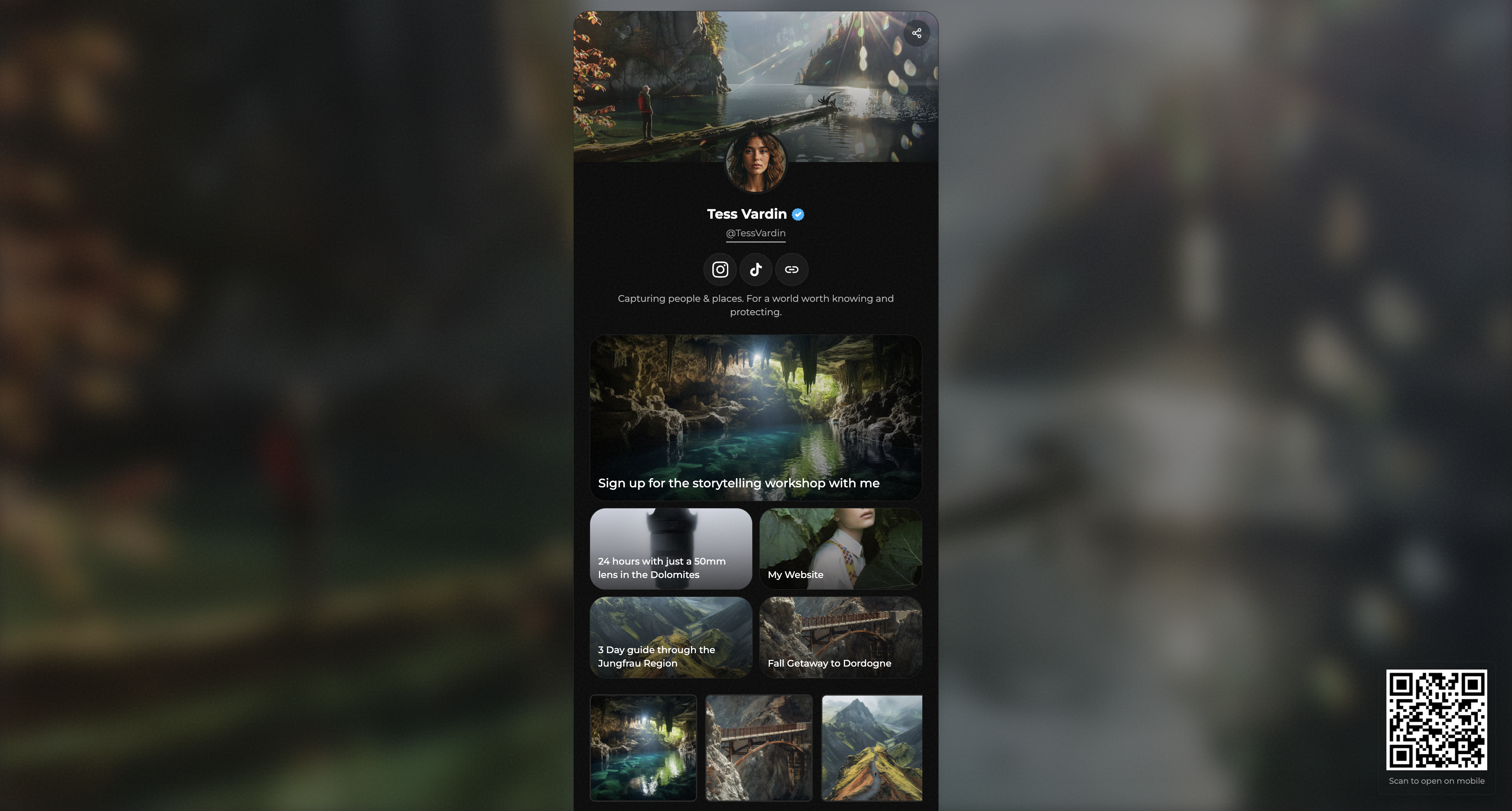
What Does Link In Bio Mean?
A link in bio is the clickable link placed in your social media profile bio.
It is especially important on Instagram and TikTok because you cannot add clickable links inside post captions. The bio link becomes the single gateway to everything you want people to visit.
That includes:
- Your website
- Your shop
- Your latest content
- Your newsletter
- Your portfolio
- Your contact page
If that one link is bad, confusing, or slow, people leave immediately.
Why Most People Use a Link In Bio Page
You could link directly to your homepage.
Most people do not, and for good reason.
Creators rarely have just one destination. They have multiple priorities at the same time. That is why link in bio pages exist.
A link in bio page is a single page that contains multiple links, usually optimized for mobile visitors coming from social platforms.
Common examples include:
- Latest video or post
- Product or shop link
- Email signup
- Contact button
- Portfolio or press kit
The problem is not the idea.
The problem is execution.
Most link in bio pages look generic, cluttered, or outdated.
How to Put a Link In Bio on TikTok
TikTok only allows clickable bio links on Business accounts. Switching is free.
Basic steps:
- Go to your profile
- Open Settings and privacy
- Tap Account
- Switch to Business account
- Return to your profile and tap Edit profile
- Add your website under Website
Once added, that link becomes your primary call to action.
How to Put a Link In Bio on Instagram
Instagram allows links on all account types.
Basic steps:
- Go to your profile
- Tap Edit profile
- Tap Add link
- Add one or more external links
Instagram allows multiple links, but clarity matters more than quantity.
4 Ways to Create a Link In Bio Page
There are many ways to build a link in bio page, but most fall into one of these categories.
1. Social Media Management Tools
Tools like Buffer, Later, or Sprout Social include link in bio features.
They work well if you already pay for them and manage multiple accounts. For solo creators, they are often too heavy and too expensive.
2. Dedicated Link In Bio Tools
This is where tools like Linktree became popular.
They are easy to use and quick to set up, but most pages end up looking the same. Customization is limited, and personality is often lost.
Good for starting. Weak for standing out.
3. Landing Page Builders
Tools like Carrd let you build a simple one page site and use it as your bio link.
They offer flexibility and control, but everything is manual. You design, structure, and optimize the page yourself.
Great if you enjoy building. Slower if you just want results.
4. AI Built Link In Bio Pages With BoringOne.page
This is where BoringOne.page fits.
Instead of picking templates or dragging blocks, you paste your links or import your existing Linktree. AI builds a clean, intentional one page site automatically.
Same links. Better structure. Better flow.
No templates.
No clutter.
No design decisions required.
How To Create a Link In Bio Page With BoringOne.page
- Paste your Linktree or your links
- AI generates a clean layout instantly
- Edit if you want, or publish immediately
- Share the page in your bio
It is designed for creators who want their link in bio to look intentional without spending time designing anything.
Final Advice
Your link in bio is not a link dump.
It is part of your customer journey.
Every visitor clicking it is deciding whether to trust you, follow you, or leave.
If your page feels random, people bounce.
If it feels clean and intentional, people stay.
If you want a fast, modern link in bio page without templates or monthly subscriptions, try it here: